Turn a document into a flipbook, with no account, in your browser
Published on 3 min read
A photograph on one page, a few lines on the page opposite. In an illustrated book, the way facing pages work together is part of the reading. A flipbook keeps that arrangement. It is a digital document you read by turning its pages.
Ostibook lets you prepare this kind of publication from your own files. You can try several presentations of the same document before downloading the one you prefer.
Turning pages on screen
The cover, the binding and the suppleness of the paper give a volume much of its character. Ostibook offers six modes that bring those differences to the screen: Book, Brochure, Catalog, Magazine, Report and Album.
Choosing a mode changes how the document is presented. You can see how softer pages or a less prominent binding affect the spread, without changing your layout.
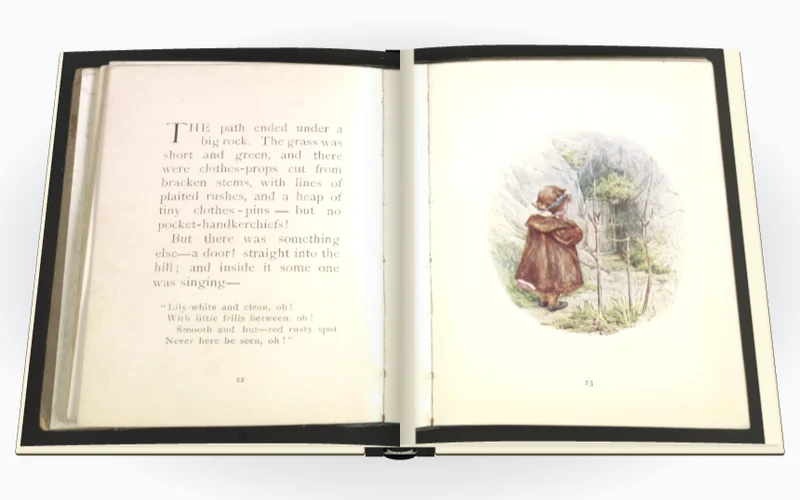
The Gallery lets you compare them on complete publications. It includes a 94-page edition of Beatrix Potter’s illustrated book The Tale of Mrs. Tiggy-Winkle. Leafing through it shows how text and illustrations sit in the reader before you open your own document.
Preparing your document in the browser
Creation starts on the Create page. You can drop a PDF there, and also an EPUB, a DOCX or a PPTX presentation. Ostibook accepts images and text as well.
A file chosen on your device is read and converted in your browser, without being sent to the Ostibook servers. There is no account to open. Importing from a web address is different, since your browser has to contact the site that holds the document. You are asked to agree before that connection is made.
If you have prepared a precise layout in a word processor or a presentation program, it is better to save a PDF version first. Converting a DOCX or a PPTX directly can shift some elements, especially when a font is not available on your device.
The import limits are shown on the Create page. A file that is too large is rejected, and a document that is too long is only partly imported.
Trying the presentation on your own pages
Once the document is open, you can change mode and leaf through the result in the preview. Take the time to look at a page of dense text or a large illustration. They make it easier to judge legibility than the cover alone.
The settings also help you prepare the content. You can move pages, remove some or add another document after the first. For a publication read from right to left, the reading direction can be adjusted.
The mode can be changed until you export. If you want to come back to the work later, you can save the flipbook in the browser library.
Choosing the file to keep or share
To pass on a flipbook that is ready to read, the HTML export gathers everything needed in a single file. You can open it on your computer in a compatible browser, even without an internet connection. Reading it does not require going back to the Ostibook site.
You can also place the exported file on your own site and share its address. Another option is to export a folder of files to upload to your web host.
Export the complete project if you want to reopen and edit your work in Ostibook later, including on another device.
Finding your work again later
The Ostibook library keeps your flipbooks in the browser used to create them. Its content is not synchronised between your devices. Clearing the data of that browser also clears the library; an exported project lets you keep a copy.
Ostibook does not currently host your flipbooks or provide reading statistics. You download your publication and make it available wherever you choose.
A hosting service may be offered later, as an option.
The frequently asked questions set out the publishing options and the limits of each format.